Skip to content

Newsmorrow

—News for the Youth

Primary Menu
  • Home
  • NM Special
  • Entertainment
  • Education
  • Technology
  • Events
    • Campus Life
  • Politics
    • Lok Sabha Election 2024
  • National
  • Health and Fitness
Live
  • Home
  • Tips & Tricks
  • Do you want to stay hidden while using Instagram? Here are the Tips
  • Tips & Tricks

Do you want to stay hidden while using Instagram? Here are the Tips

Newsmorrow Digital Desk August 29, 2023 2 minutes read
instagram-selfie-caption-580x387

Tips & Tricks | Science and Technology

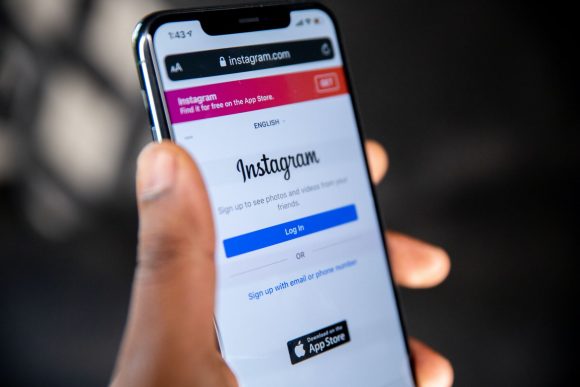
These days, social media sites like Instagram are a big part of our lives. They can sometimes bother us by tracking what we do. Most of us don’t like being watched or showing when we’re online on social media. But there’s a way to hide that on Instagram.

For example, if you don’t want others to know when you’re using Instagram, you can hide it by doing a few simple things.

What is “Activity Status” on Instagram

On Instagram, there’s a thing called “Activity Status.” It lets people you follow and talk to see when you were last online or if you’re online right now. This is similar to what you find on other apps like Facebook Messenger and WhatsApp. But if you want to keep your privacy and not let people see when you’re online, you can turn off the “Show Activity Status” thing. If you want to do this, here’s how:

How to Turn Off Your Activity Status on Instagram:

  1. Open the Instagram App:
    • Find and open the Instagram app on your device. If you’re not signed in, put in your info to get into your account.
  2. Go to Your Profile:
    • Tap on the icon that looks like you, in the bottom right corner of the screen.
  3. Find Settings:
    • In the top right corner of your profile page, there are three lines. Tap on them to open the menu.
  4. Pick “Settings and Privacy”:
    • Inside the menu, find and tap on “Settings and Privacy.”
  5. Look for Messages and Story Replies:
    • In the “Settings and Privacy” part, find “Messages and Story Replies.” Tap on it.
  6. Turn Off “Show Activity Status”:
    • Inside “Messages and Story Replies,” you’ll see “Show Activity Status.” Tap it to find a switch. Tap the switch to turn off your activity status.

When you do this, people won’t be able to see when you’re using Instagram. Just remember, you won’t be able to see when others are using it either.

About the Author

Newsmorrow Digital Desk

Administrator

Newsmorrow is a youth oriented news and media website, which is owned and managed by the youth only. You get the Photo Captioned news and analysis on our social media platform.

Visit Website View All Posts
Tags: Instagram newsmorrow

Post navigation

Previous: International Webinar on Nel Noddings’ Care Ethics and Confucian Ethics Conducted by MGCU
Next: “Sanskrit: The Originator of Diverse Languages and a Cultured Tongue”

Related Stories

Rapido Launch Marathi Learning Channels for Captains in Maharashtra
  • Business
  • National
  • Tips & Tricks

महाराष्ट्र में रैपिडो की नई पहल, कैप्टन्स को अब सिखाई जाएगी मराठी; शुरू किए गए तीन चैनल

Newsmorrow Digital Desk August 21, 2026
Tech-Tips
  • Technology
  • Tips & Tricks

Holi 2024: Tips to Protect Your Smartphone from Water and Colors

Newsmorrow Digital Desk March 25, 2024
Glowing skin
  • Tips & Tricks

Do you want to get rid from your tan skin

Tanya Singh February 12, 2023

Explore Topics

  • Business
  • Campus Life
  • Career
  • Education
  • Entertainment
  • Events
  • Health and Fitness
  • Lok Sabha Election 2024
  • Movie Review
  • National
  • NM Special
  • Opinion
  • Politics
  • Technology
  • Tips & Tricks
  • Viral
  • महाराष्ट्र में रैपिडो की नई पहल, कैप्टन्स को अब सिखाई जाएगी मराठी; शुरू किए गए तीन चैनल
  • दिल्ली में डिजिटल शिक्षा की नई पहल : SOS Children’s Villages India ने शुरू किया दूसरा मोबाइल डिजिटल लर्निंग सेंटर
  • भारतीय रेलवे ने फिर जताया भरोसा, Alstom को मिला 5 साल का नया कॉन्ट्रैक्ट
  • टेम्बो ग्लोबल की रक्षा क्षेत्र में बड़ी पहल, PSU के साथ किया ‘NDA साइन’
  • Divyang Challenger Trophy 2026 का खिताब मध्य प्रदेश ने किया अपने नाम
August 2026
M T W T F S S
 12
3456789
10111213141516
17181920212223
24252627282930
31  
« Jun    

About Us

DayStory

Newsmorrow is a youth oriented news and media website, which is owned and managed by the youth only. You get the Photo Captioned news and analysis on our social media platform.

Get a Quote

हाल ही में पब्लिश की गई स्टोरीज

Rapido Launch Marathi Learning Channels for Captains in Maharashtra
  • Business
  • National
  • Tips & Tricks

महाराष्ट्र में रैपिडो की नई पहल, कैप्टन्स को अब सिखाई जाएगी मराठी; शुरू किए गए तीन चैनल

Newsmorrow Digital Desk August 21, 2026
Children exploring digital Learning Centre in Delhi.
  • Business
  • Events
  • National
  • Technology

दिल्ली में डिजिटल शिक्षा की नई पहल : SOS Children’s Villages India ने शुरू किया दूसरा मोबाइल डिजिटल लर्निंग सेंटर

Newsmorrow Digital Desk August 13, 2026
Alstom secures 5-year maintenance service agreement at the Nagpur depot for WAG-12B electric locomotives through its joint venture with Indian Railways (MELPL)
  • Events
  • National

भारतीय रेलवे ने फिर जताया भरोसा, Alstom को मिला 5 साल का नया कॉन्ट्रैक्ट

Newsmorrow Digital Desk June 29, 2026
Tembo Global Industries Limited की रक्षा क्षेत्र में बड़ी पहल, PSU के साथ किया NDA साइन
  • Business
  • National

टेम्बो ग्लोबल की रक्षा क्षेत्र में बड़ी पहल, PSU के साथ किया ‘NDA साइन’

Newsmorrow Digital Desk March 24, 2026
  • Advertise with us
  • Disclaimer
  • Home
  • Privacy Policy
Copyright © 2025 Newsmorrow | Est. 2021 | MoreNews by AF themes.